Curiosity HUB SaaS Quick Onboarding Guide
Follow this comprehensive 10-step administrative guide to configure organizational settings, custom branding, rotational work shifts, GPS geofencing, employee facial vector enrollment, and automated payroll sync.
Prerequisite & Administrator Login
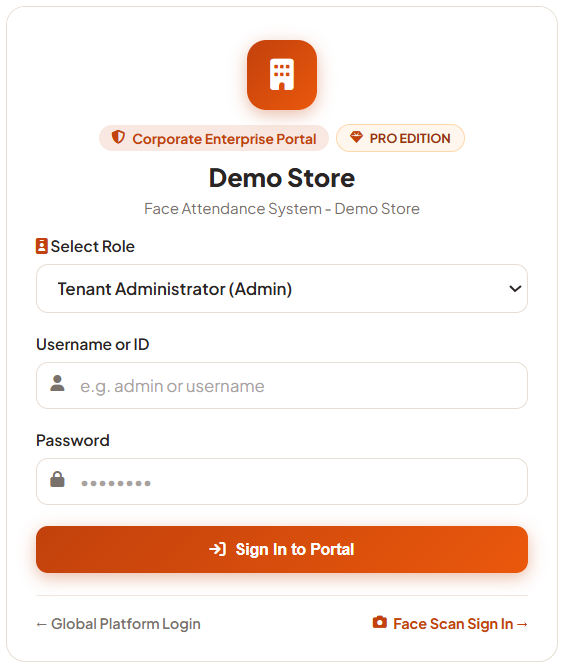
Log in to your dedicated company portal (/login or custom organization slug) using your administrator credentials provided during account provisioning.
- Open your organization's custom login gateway URL.
- Authenticate with the administrator email and secure password.
- Verify the tenant branding badge and organization name in the top navigation bar.
Organization Settings & Branch Locations
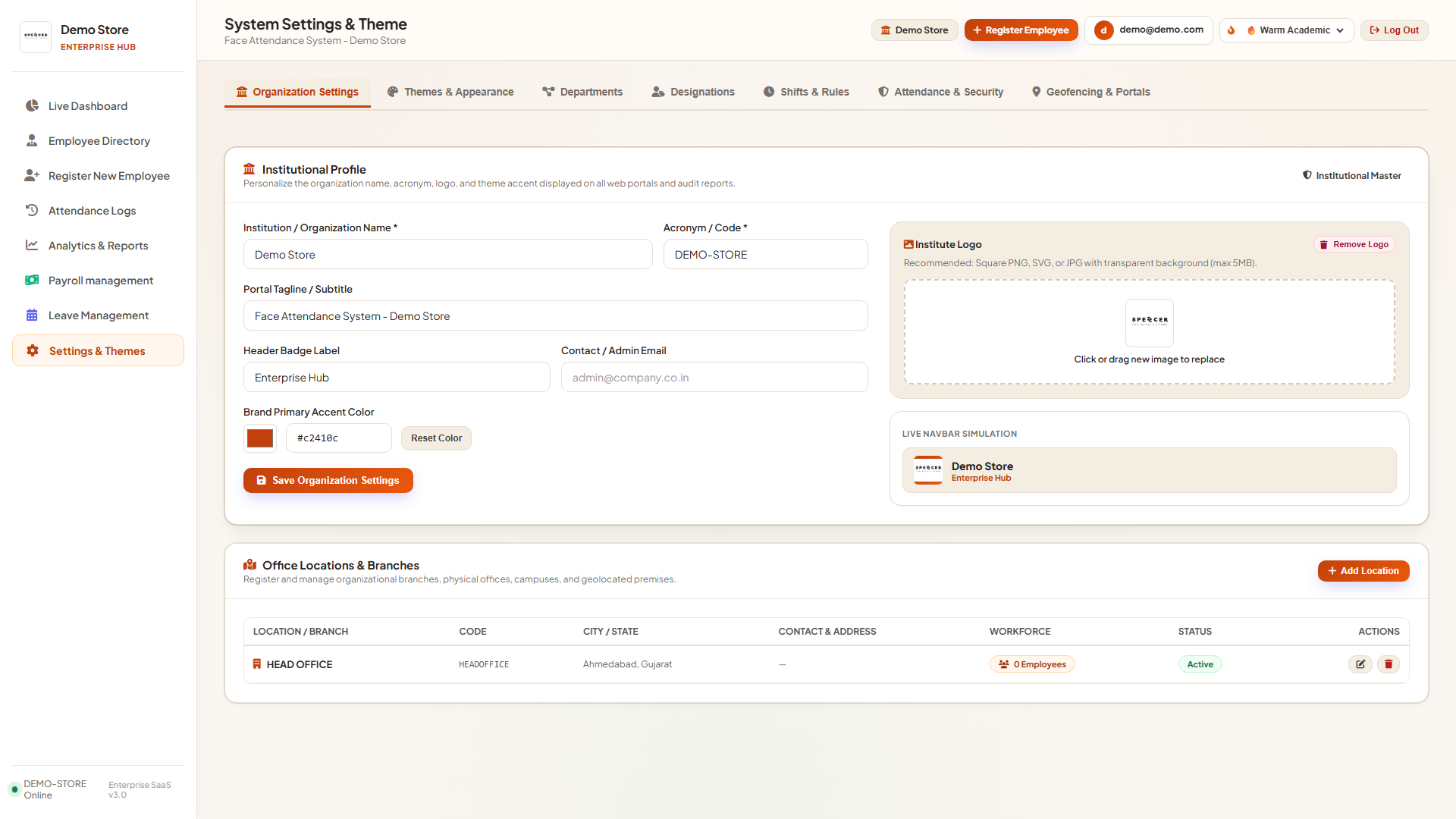
Establish corporate identity, upload your official logo, and register all office locations with exact coordinates for tamper-proof GPS mobile geofencing.
- Navigate to Settings → Organization Profile.
- Upload company logo to display on payslips, portals, and kiosk terminals.
- Add branch office locations with latitude, longitude, and geofence radius.
Themes & Corporate Appearance Customization
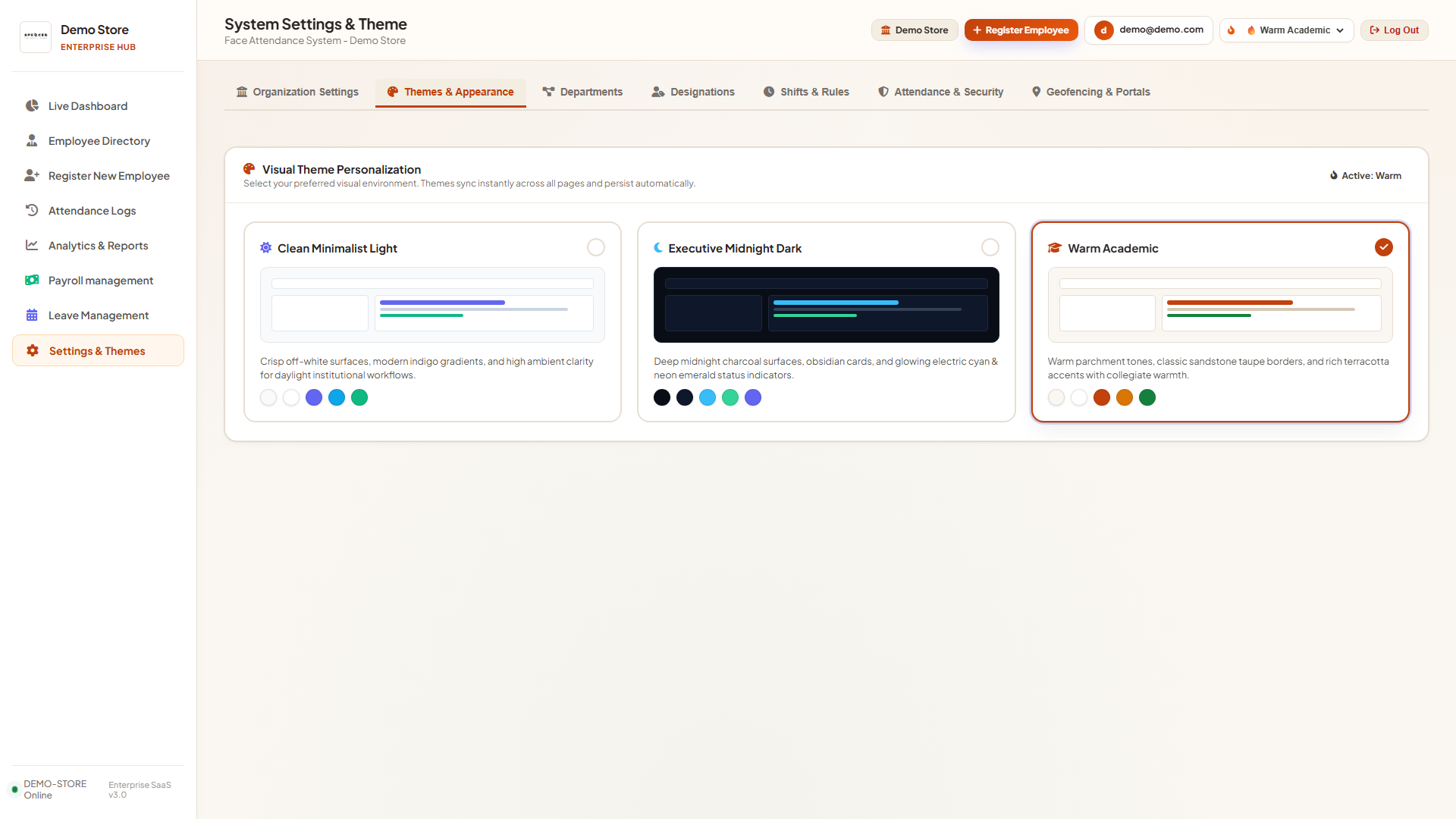
Customize your workspace aesthetics with custom corporate colors and theme presets (Clean Light, Modern Dark, or Warm Academic).
- Open Settings → Themes & Appearance.
- Select a curated theme preset or enter custom brand hex color codes.
- Save settings; styling automatically propagates across kiosks and employee portals.
Departments & Designation Hierarchy
Define corporate functional divisions (Engineering, HR, Sales, Operations) and formal designations linked to statutory salary templates.
- Create operational departments with unique departmental codes.
- Add job designations and link them to default salary compensation structures.
- Enable automated permission grouping based on designation level.

Work Shifts, Grace Periods & Geofencing Rules
Configure rotational work schedules, morning/evening shifts, grace period minutes, and strict GPS perimeter boundaries for field employees.
- Specify shift start times, end times, and lunch break durations.
- Set grace arrival minutes before automatic 'LATE' flag is triggered.
- Configure maximum allowed geofence drift radius in meters (50m - 200m).

Employee Facial Vector Enrollment
Enroll staff in seconds via webcam kiosk or dispatch single-use mobile enrollment tokens allowing employees to capture face vectors directly from their smartphone.
- Import bulk employee roster via standard CSV spreadsheet.
- Capture Frontal, Left, and Right angle vectors for sub-250ms recognition accuracy.
- Raw photographs can be immediately deleted; only non-reversible 128-d vectors are preserved for privacy.

Employee Directory & Status Management
Maintain real-time employee directories, monitor facial encoding completion rates, manage active/inactive statuses, and review banking and statutory details.
- Filter personnel by branch office, department, and work shift.
- Re-enroll or update face samples if appearance changes occur.
- Export directory lists to Excel / CSV with one click.

Live Biometric Kiosk & Touchless Clock-In
Launch full-screen attendance terminals on reception laptops, mounted tablets, or iPad kiosks for instant touchless clock-ins under 250 milliseconds.
- Deploy with standard HD USB webcams or integrated tablet cameras.
- Temporal anti-spoof liveness gating blocks photos, videos, and phone screens.
- Works reliably offline with local vector caching and auto-sync when online.

Real-Time Attendance Logs & Audit Trails
Audit real-time verification logs with clock-in timestamps, verification methods (WEBCAM, MOBILE_GPS, GEOFENCE), and matched confidence Euclidean scores.
- Complete tamper-proof audit trails with soft-delete protections.
- Instant CSV and Excel attendance reports filtered by date range.
- Automated daily absence notifications sent to departmental managers.

Leave Management & Automated Payroll Processing
Attendance logs link seamlessly with approved leaves, automatically calculating statutory PF, ESIC, Professional Tax, and Loss of Pay (LOP) deductions for downloadable PDF payslips.
- 1-click batch payroll execution for all branches.
- Automated payslip PDF generation with custom company branding and QR verification.
- Direct bank advice export for automated salary disbursement via NEFT/RTGS.

Ready to Deploy Curiosity HUB for Your Organization?
Transform your workplace in less than 15 minutes with zero dedicated biometric hardware. Start with a 7-day free trial or sign in to your company portal.